How an Ergonomic Chair Can Make Long Workdays More Comfortable

Hours at a desk can make even simple tasks feel uncomfortable when your seating setup doesn't provide the right support.
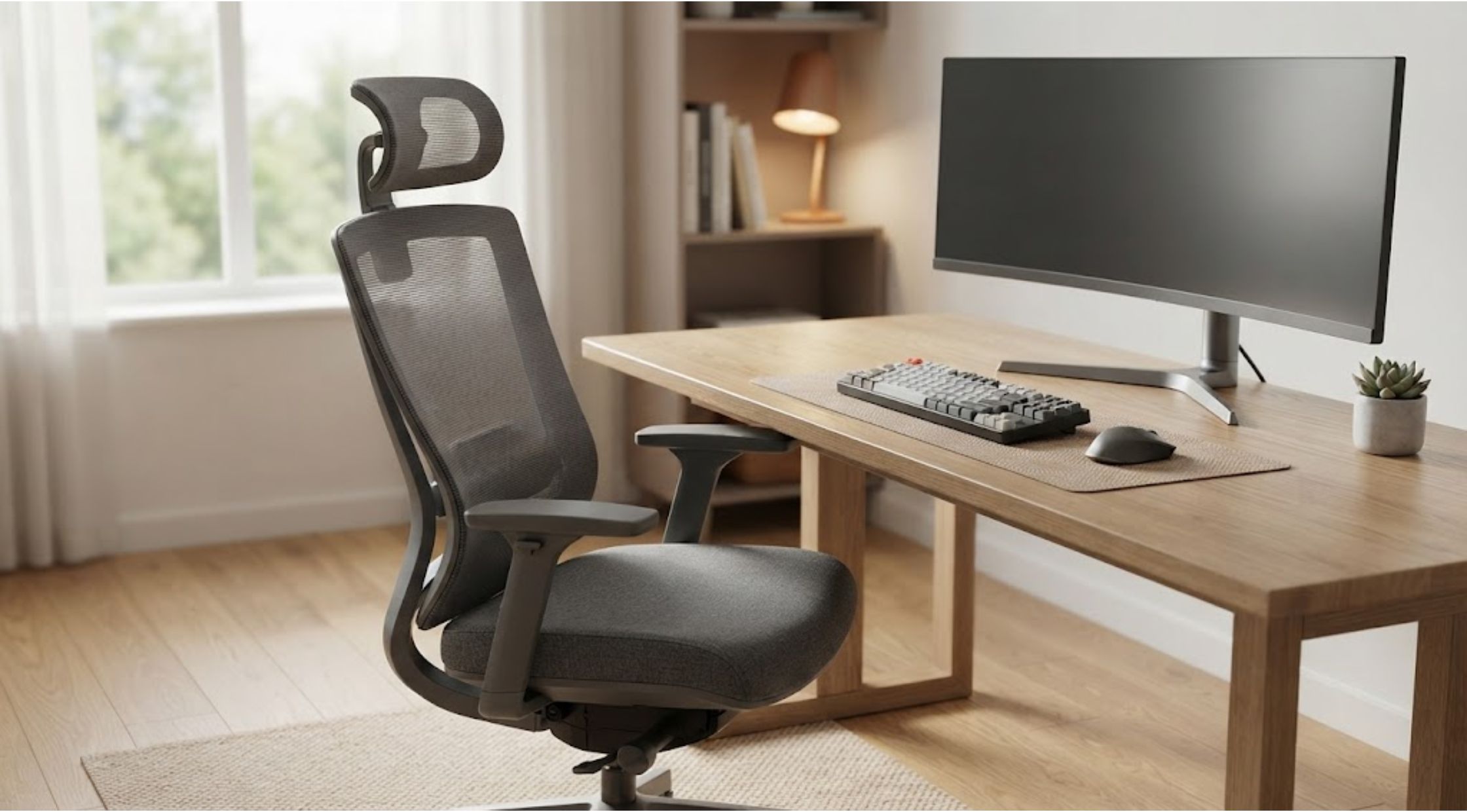
Do you finish a long workday feeling like your chair worked against you rather than with you? Hours at a desk can make even simple tasks feel uncomfortable when your seating setup doesn't provide the right support. A chair that looks good isn't necessarily a chair that works well for your daily routine.
The good news is that improving your workspace doesn't always require a complete office makeover. Choosing a well-designed ergonomic chair, adjusting your desk setup, and developing better sitting habits can make a meaningful difference.
For people who spend many hours working, studying, gaming, or creating content at a desk, products such as the Libernovo Omni Chair are designed around the idea of making prolonged sitting more adaptable and comfortable.
Why Sitting for Long Periods Can Feel Uncomfortable
The human body isn't designed to remain in exactly the same position for hours at a time. Even with a quality chair, staying still for too long can leave you feeling stiff or uncomfortable.
Common complaints include:
- Lower-back discomfort
- Shoulder and neck tension
- Pressure around the hips
- Legs feeling uncomfortable
- Constantly shifting position
- Poor posture while working
- Fatigue after long periods at the desk
These problems aren't necessarily caused by the chair alone. Desk height, monitor position, keyboard placement, and personal sitting habits can all contribute.
The goal should therefore be to create a workspace that supports movement and adjustment rather than forcing your body into one fixed position.
What Makes an Ergonomic Chair Different?
A traditional office chair may offer basic cushioning and height adjustment, but ergonomic designs generally provide more ways to customize the sitting experience.
Important features can include:
- Adjustable seat height
- Back support
- Flexible armrests
- Seat depth adjustment
- Head and neck support
- Reclining functionality
- Adjustable lumbar support
- Movement-friendly construction
The advantage of adjustability is simple: people aren't all built the same.
A chair that feels comfortable for one person may feel completely wrong for another. The ability to adjust different components allows you to create a setup that better matches your body and working style.
Practical Ways to Improve Your Desk Setup
Buying a better chair is only part of the solution. Your entire workspace should work together.
1. Adjust Your Chair Height
Your feet should rest comfortably on the floor or an appropriate footrest, while your knees remain in a natural position.
Avoid setting the chair so high that your feet dangle or so low that your knees are excessively elevated.
2. Position Your Monitor Correctly
Your monitor should be positioned so you don't have to constantly bend your neck downward.
A comfortable screen position can reduce unnecessary neck movement during long periods of computer work.
3. Keep Your Keyboard and Mouse Accessible
Your keyboard and mouse should be close enough that you don't have to repeatedly reach forward.
This can help keep your shoulders more relaxed while working.
4. Change Positions Regularly
Even the best ergonomic chair isn't a substitute for movement.
Stand up, walk around, stretch, or simply change your sitting position throughout the day. Short movement breaks can make long work sessions feel more manageable.
When a Premium Ergonomic Chair Becomes Worth Considering
A basic chair may be perfectly adequate for someone who only uses a desk occasionally. But if you spend most of your working day at a computer, comfort and adjustability become more important.
This is where the Libernovo Omni Dynamic Ergonomic Chair can be an interesting option for people looking for a more adaptable seating setup.
Rather than relying on a one-size-fits-all design, a premium ergonomic chair can provide multiple adjustment points that allow users to fine-tune their position.
The important thing is not simply buying an expensive chair. It's choosing a chair with features that address your actual needs.
Benefits of Upgrading Your Workspace
Better Adjustability
The Libernovo Omni Chair is designed with adjustability in mind, allowing users to modify different aspects of the chair to suit their preferred working position.
This can be especially useful when a chair is shared by multiple people or when your work requires different sitting positions throughout the day.
More Flexible Sitting
A dynamic design can encourage you to change positions instead of remaining completely rigid.
Being able to recline, adjust support, or shift your posture can make the chair feel more responsive to different activities.
A More Organized Workspace
A comfortable chair can complement other workspace improvements, from monitor positioning to desk height and keyboard placement.
Instead of treating your chair as an isolated purchase, consider it part of your overall workstation.
Greater Long-Term Value
Premium office furniture requires a larger initial investment, so consider how frequently you will use it.
If you're sitting at a desk eight hours a day, a chair that provides greater adjustability and customization may offer more practical value than a basic model that you'll use for the same amount of time.
How to Decide If It's the Right Chair for You
Before purchasing an ergonomic chair, think about your routine.
Ask yourself:
- How many hours do I spend at my desk?
- Do I frequently change positions?
- Do I prefer an upright or reclining position?
- Is adjustable lumbar support important to me?
- Do I need adjustable armrests?
- Will different people use the chair?
- How much space do I have available?
- Which features will I realistically use?
These questions can help you focus on useful features instead of being distracted by a long specification list.
For someone who spends significant time working or studying, the Libernovo Omni Dynamic Ergonomic Chair may be worth considering as part of a more personalized workstation.
Why Small Workspace Changes Can Matter
Creating a better workspace doesn't always mean replacing everything.
Sometimes the biggest improvement comes from combining several small changes:
- Adjust the chair
- Raise or lower the monitor
- Position the keyboard correctly
- Improve lighting
- Take regular movement breaks
- Keep frequently used items within easy reach
A premium chair can complement these habits, but it shouldn't replace them.
For users researching ergonomic seating, Libernovo offers a more specialized approach to desk comfort through adjustable chair designs that focus on flexibility and customization.
Conclusion: Build a Workspace That Works for You
Spending long hours at a desk doesn't have to mean accepting an uncomfortable workspace. The right chair, combined with sensible desk positioning and regular movement, can create a more practical environment for work, study, gaming, or creative projects.
The Libernovo Omni Chair is one option for people who want greater adjustability and a more dynamic sitting experience. Before investing, compare the features carefully and think about how they fit your daily routine.
The best ergonomic setup isn't necessarily the most expensive one. It's the one that supports your needs, encourages better habits, and makes your workspace easier to use every day.
Recent Blogs
-

How to Make Yard Maintenance Easier With the Right Outdoor Power Tools
-

How to Build a Simple Everyday Routine With Natural Makeup Cosmetics
-

How to Save Space and Simplify Travel With Vacuum Storage Bags and Portable Pumps
-

How Smart Glasses for Athletes Can Make Training More Convenient
-
How an Ergonomic Chair Can Make Long Workdays More Comfortable