How to Connect Shokz to iPhone and Choose the Best Headphones for Music Listening

Getting your headphones connected should be simple.
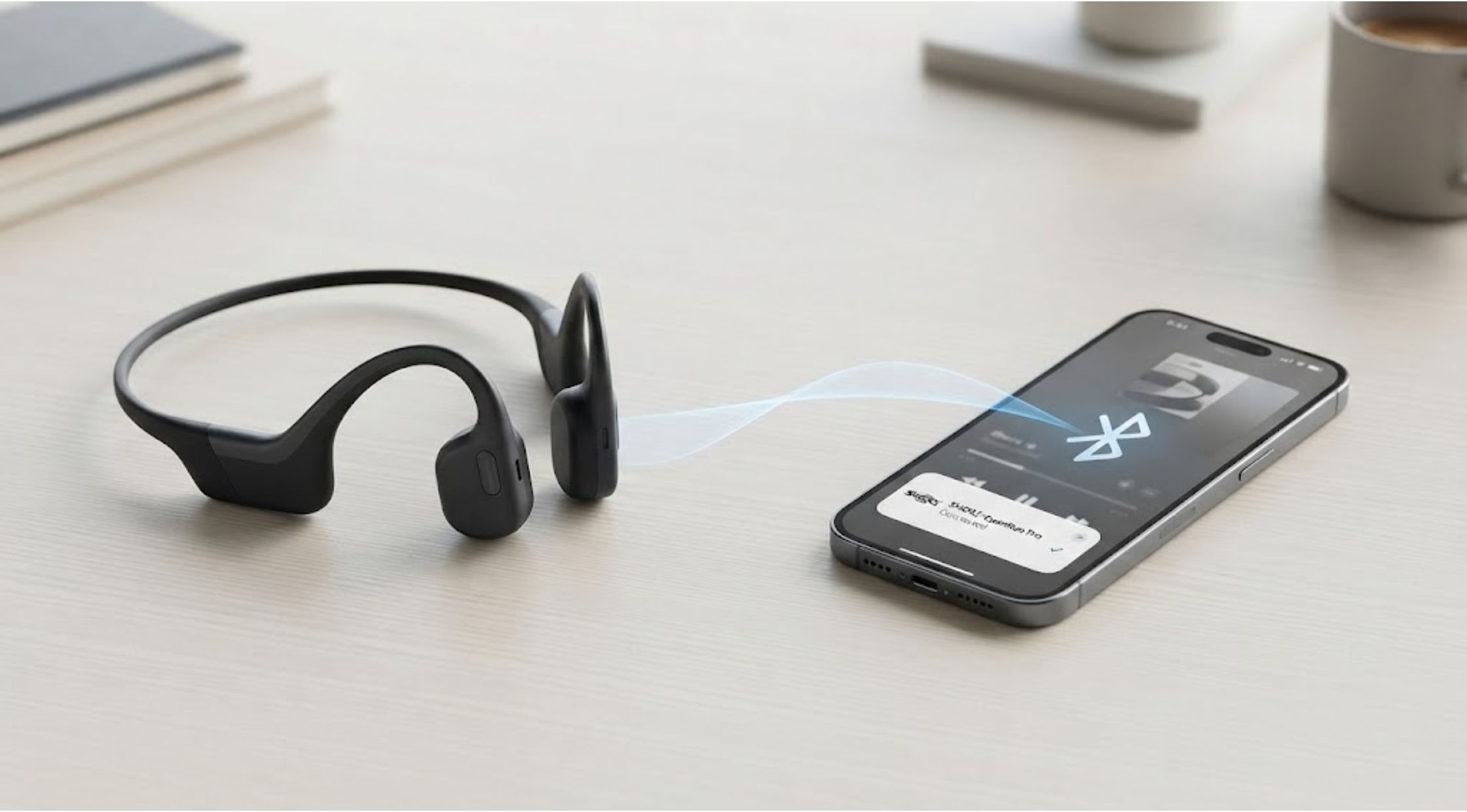
Getting your headphones connected should be simple. Yet many users have experienced the frustration of pairing problems, unclear Bluetooth settings, unexpected disconnections, or audio that does not sound as good as expected.
If you recently bought a pair of SHOKZ headphones and are wondering how to connect Shokz to iPhone, the process is usually straightforward once you know where to look. But pairing is only the beginning. Choosing the right headphones for your listening habits can also make a significant difference in comfort, sound quality, and everyday convenience.
Whether you listen to music during workouts, commute to work, or simply want better audio at home, this guide explains how to get connected and what to consider when choosing the best headphones for music listening.
Why Connecting Headphones to an iPhone Can Be Frustrating
Bluetooth is designed to make wireless connections convenient, but several small issues can prevent headphones from pairing correctly.
Common problems include:
- Headphones not appearing in Bluetooth settings
- The headphones connecting to another nearby device
- Bluetooth being switched off
- An old pairing causing connection problems
- Low battery
- Audio playing through the wrong device
- Headphones appearing connected but producing no sound
Fortunately, most of these problems can be resolved without complicated troubleshooting.
How to Connect Shokz to iPhone
If you're learning how to connect Shokz to iPhone, start by making sure your headphones have enough battery power.
Step 1: Turn on Bluetooth
On your iPhone, open Settings > Bluetooth and make sure Bluetooth is enabled.
You can also access Bluetooth through Control Center, but the Settings menu is useful when you need to check or manage previously connected devices.
Step 2: Put Your Shokz Headphones Into Pairing Mode
Turn on your headphones and activate pairing mode according to the instructions for your particular model.
Many Shokz models use a button or multifunction control to enter pairing mode. A voice prompt or indicator light may confirm that the headphones are ready to connect.
Step 3: Select the Headphones
Look under the available Bluetooth devices on your iPhone. When your headphones appear, tap their name.
Once the connection is established, your iPhone should confirm the pairing.
Step 4: Test the Audio
Play a song or video and check that the sound is coming through your headphones.
If the connection is successful but audio is still coming from the iPhone speaker, check the audio output selection and make sure the headphones are selected.
What to Do If Shokz Won't Connect
If you're still having trouble after following the steps above, try a few simple fixes.
Restart Bluetooth: Turn Bluetooth off, wait a few seconds, and turn it back on.
Check the battery: Low battery levels can sometimes interfere with reliable connections.
Move closer: Keep your headphones and iPhone relatively close together during the initial pairing process.
Disconnect other devices: Your headphones may automatically connect to another phone, tablet, or computer that they have previously been paired with.
Forget and reconnect: If the headphones appear under your iPhone's Bluetooth devices but will not connect properly, you can remove the existing pairing and set up the connection again.
If problems continue, check the instructions specific to your Shokz model, as pairing procedures can vary.
What Makes the Best Headphones for Music Listening?
Knowing how to connect Shokz to iPhone solves the technical side of the experience. But finding the best headphones for music listening requires looking at more than Bluetooth connectivity.
Sound Quality
Think about the type of music you enjoy. Bass-heavy genres may benefit from a different sound profile than acoustic, classical, or vocal-focused music.
Rather than assuming the most expensive headphones sound best, consider whether their audio characteristics match your preferences.
Comfort
If you listen to music for several hours, comfort becomes just as important as sound quality.
Consider:
- Weight
- Fit
- Pressure around the ears
- Headband design
- Stability during movement
Headphones that sound excellent but become uncomfortable after 30 minutes may not be the best choice for your lifestyle.
Battery Life
Wireless headphones need regular charging. If you use them throughout the day, longer battery life can reduce the inconvenience of frequent charging.
Connection Reliability
A stable Bluetooth connection is essential for wireless listening. Frequent dropouts can quickly become more frustrating than the problem you were trying to solve by switching to wireless headphones.
Why Your Listening Habits Matter
There is no single pair of headphones that is perfect for everyone.
If you mainly listen at home, you may prioritize sound quality and comfort. Commuters might care more about portability and noise control. Runners and gym users may prioritize stability and awareness of their surroundings.
This is one reason SHOKZ has become an option worth considering for people who want a different approach to everyday listening. Depending on the model, its headphones can be designed around active lifestyles and situations where users may want to remain aware of their surroundings.
When a Premium Headphone Upgrade Is Worth It
You do not necessarily need premium headphones to enjoy music. However, upgrading can make sense if your current pair has become uncomfortable, unreliable, or unsuitable for the way you listen.
A higher-quality model may offer improvements in areas such as:
- Comfort
- Build quality
- Battery performance
- Wireless connectivity
- Call quality
- Sound reproduction
- Controls and usability
SHOKZ offers different headphone designs aimed at different listening situations, so it is worth comparing the specifications of individual models rather than choosing based solely on brand name.
For example, someone who spends hours listening to music may prioritize comfort, while an active user may place greater importance on stability and situational awareness.
Practical Tips for Better Music Listening
Once your headphones are connected, a few habits can improve your experience.
Keep Your Headphones Updated
If your model supports a companion app or firmware updates, check for available updates according to the manufacturer's recommendations.
Adjust the Volume
Listening at excessively high volume levels for extended periods can be harmful to hearing. Keep the volume at a comfortable level and take breaks during longer sessions.
Keep Bluetooth Connections Organized
If you regularly switch between an iPhone, laptop, and tablet, disconnect unused devices when necessary to prevent accidental connections.
Choose the Right Headphones for the Activity
The best headphones for music listening at home may not be the best choice for running or commuting. Think about where you spend most of your listening time before making a purchase.
Conclusion: Make Wireless Listening Simpler
Learning how to connect Shokz to iPhone takes only a few steps once your headphones are in pairing mode. If you encounter connection problems, checking Bluetooth settings, battery level, nearby devices, and existing pairings can often resolve the issue.
After pairing, focus on what actually matters for your lifestyle: sound quality, comfort, battery life, connection reliability, and how the headphones perform during your typical activities.
For listeners looking for a combination of wireless convenience and an active-friendly design, SHOKZ is worth exploring. Compare individual models carefully and choose the one that fits your listening habits rather than simply choosing the most expensive option.
With the right headphones and a reliable connection, your iPhone can become an even more convenient source for the music, podcasts, and audio you enjoy every day.
Recent Blogs
-
How to Make Yard Maintenance Easier With the Right Outdoor Power Tools
-

How to Build a Simple Everyday Routine With Natural Makeup Cosmetics
-
How to Save Space and Simplify Travel With Vacuum Storage Bags and Portable Pumps
-

How Smart Glasses for Athletes Can Make Training More Convenient
-
How an Ergonomic Chair Can Make Long Workdays More Comfortable